Running the Tool
Step-by-step guide to running the dumper
Follow these steps to run the Roblox Dumper and generate offsets.
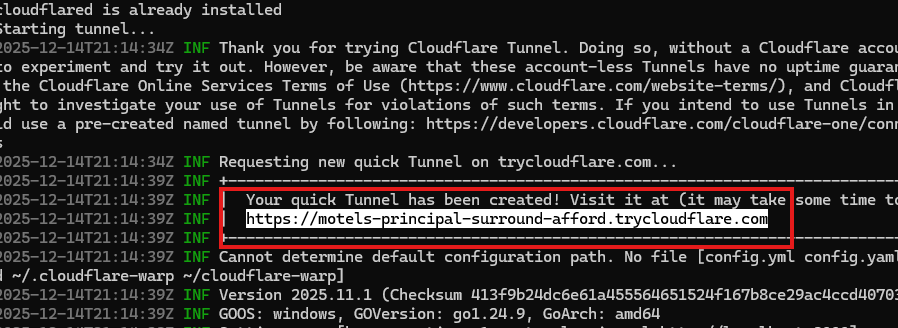
Step 1: Start the Cloudflare Tunnel
-
Run
cloudflare_tunnel.bat- This creates a local tunnel that the Roblox game needs to connect to
- The script will automatically install cloudflared if needed

-
Wait for the tunnel to start
- You'll see a message like "Starting tunnel..."
- The tunnel will display a URL (something like
https://xxxxx.trycloudflare.com)
-
Copy the API URL
- You'll need this URL in the next step
- Keep this window open while using the dumper
Step 2: Enter API URL in Roblox Game
-
Start the Roblox game
- Use the published dumper game or your configured custom game
- Wait for the game to fully load
- Make sure your game window is the smallest it can be, otherwise Window dimensions will fail to dump
-
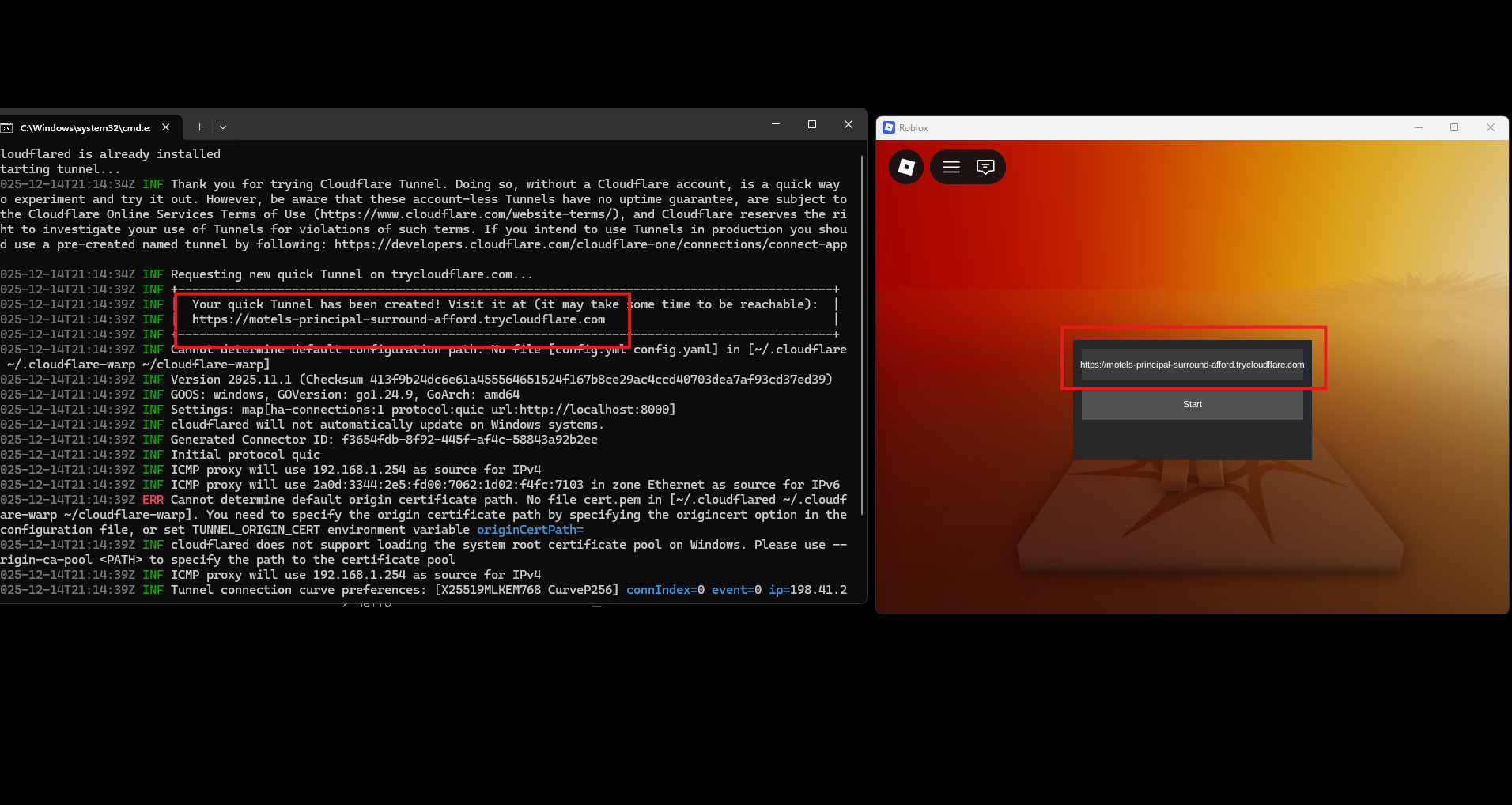
Enter the API URL
- Look for the API URL input field in the game
- Paste the URL from the Cloudflare tunnel (e.g.,
https://xxxxx.trycloudflare.com) - Then press Start
Step 3: Run the Dumper
-
Run
roblox-dumper.exe- The dumper will attach to the Roblox process
- It will start a control server on port 8000
-
Wait for scanning to complete
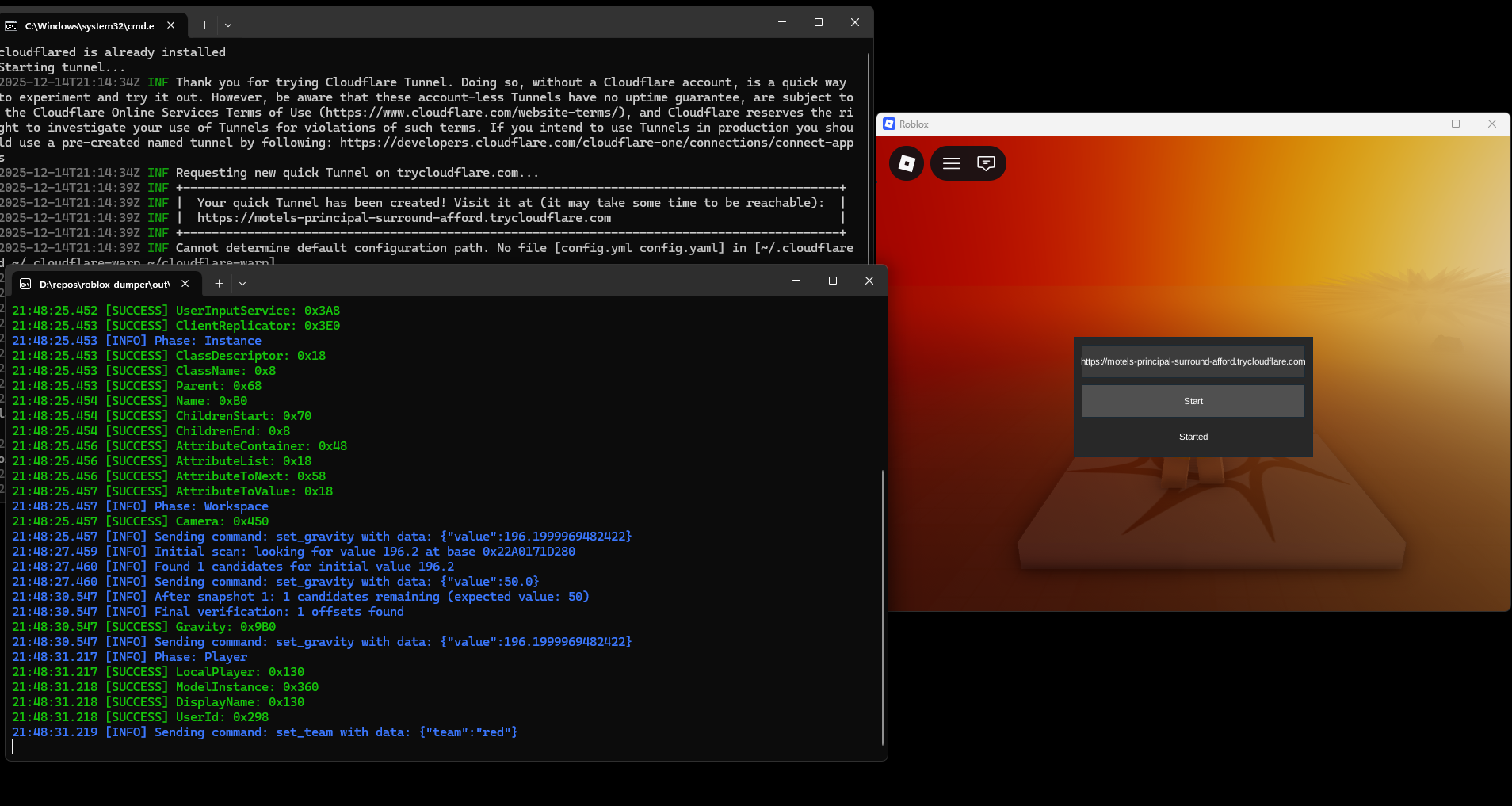
- The dumper will run through all scanning phases
- You'll see progress messages for each phase
-
Find your offsets
- When complete,
offsets.hppwill be generated in the same directory as the executable - The file contains all the dumped offsets ready to use
- When complete,
Troubleshooting
"Failed to attach to Roblox"
- Make sure Roblox is running
- Make sure you're running the dumper as administrator
- Try restarting both Roblox and the dumper
"Failed to start control server"
- Port 8000 might be in use
- Close any programs using port 8000
- Try running as administrator
"Dumping failed"
- Make sure you're using the correct game configuration
- If you're using a custom game make sure you uploaded it correctly
- Verify your user information is correct
- Make sure the API URL was entered correctly in the Roblox game
Cloudflare tunnel issues
- Make sure the tunnel window stays open
- If the tunnel disconnects, restart it and update the URL in the game
- Check your internet connection
Next Steps
Once you have your offsets, check out Everything Dumped to see what was extracted.